PingCastle vs ADscan, a health score or a proven attack path
PingCastle is the tool many Active Directory teams run first, and for good reason. In minutes it scores how healthy a domain’s configuration is and lists what to clean up. ADscan answers the next question. Which of those weaknesses chain into a path an attacker can walk today, and can you prove it? This page compares the two honestly, with a public source for every fact about PingCastle.
- PingCastle
- Scores domain configuration risk out of 100, quickly, from a single executable.
- ADscan
- Executes end to end the attack paths it supports (69 techniques). It reverts every change it can and flags what it cannot undo on its own.
- Client work
- PingCastle needs a paid licence to audit other organisations. ADscan’s free CLI allows paid client engagements.
- Best together
- Use PingCastle for the hygiene score, then ADscan for proof of what is still exploitable.
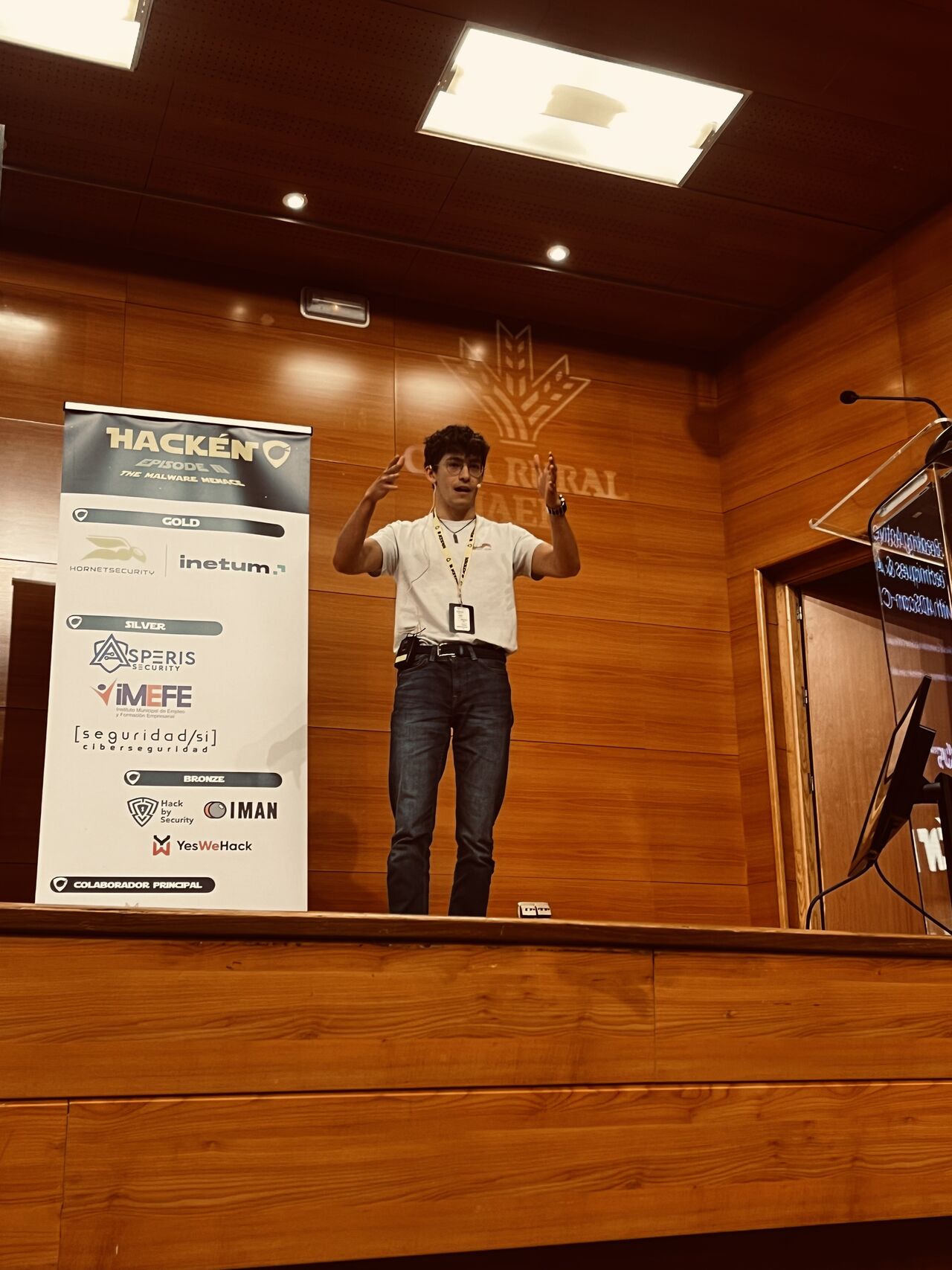
By Yeray Martín, founder of ADscan and senior penetration tester
Last updated · Competitor facts as of November 2026
A score shows where the domain is weak. A walked path shows what it costs.
PingCastle reads your directory and rates it against its rule set. Stale objects, privileged accounts, trusts and anomalies each get a score out of 100, and the domain’s risk level is the highest of the four, so lower is better. That is a fast and honest picture of hygiene, and its maturity model gives management and operations a shared vocabulary.
What a score cannot tell you is which findings join up. A weak certificate template, a Kerberoastable service account and a delegation left behind by a migration can each look moderate on their own and still form a path to Domain Admin together. PingCastle’s own methodology says it plainly. Assessment tells you where the risk is, and it does not stop someone exploiting it. ADscan takes the attacker’s side of that sentence. It runs the paths it supports from a low-privilege account and records each step as evidence. Then it reverts every change it can, checks each rollback, and flags anything it cannot undo on its own.
A fast health check with a score
One executable, a report in minutes, a risk score per indicator, a map of domains and trusts, and remediation guidance. The paid editions add scheduled scans, remediation tracking, multi-domain risk assessment and the Entra ID report.
Proof of which paths work
ADscan executes the attack paths it supports end to end, so a finding is validated rather than inferred. In PRO and Enterprise each finding maps to ENS, NIS2, ISO 27001, DORA, PCI DSS and CIS Benchmark, the evidence a regulated buyer’s auditor asks for.
Where each tool is built to be strong.
Facts about PingCastle come from pingcastle.com, Netwrix and the PingCastle source repository. Each carries a numbered source at the foot of the page. Where Netwrix does not publish something, the cell says so.
Competitor facts as of November 2026
Primary job
- PingCastle
- Score domain configuration risk and maturity[7]
- ADscan
- Execute the attack paths it supports to prove them
Main output
- PingCastle
- Health check report, a score out of 100 per indicator, lower is better[5]
- ADscan
- Proven paths with evidence and a fix per finding
Executes attack paths
Breadth of configuration checks
- PingCastle
- 170+ hybrid identity risks, per Netwrix[4]
- ADscan
- 94 finding types
Attack-path graph
- PingCastle
- Map of domains and trusts, no full attack-path graph[7]
- ADscan
- Yes, with a BloodHound-compatible export
Entra ID
- PingCastle
- Yes, an Entra ID health check[3]
- ADscan
- No, on-premises Active Directory only
Compliance mapping
Free edition on paid client work
Source code
How it runs
- PingCastle
- A single executable that runs offline[7]
- ADscan
- Linux or macOS with Docker, or a native Windows bundle
Scheduled, continuous runs
| Dimension | PingCastle | ADscan |
|---|---|---|
| Primary job | Score domain configuration risk and maturity[7] | Execute the attack paths it supports to prove them |
| Main output | Health check report, a score out of 100 per indicator, lower is better[5] | Proven paths with evidence and a fix per finding |
| Executes attack paths | No, it assesses configuration[6] | Yes, 69 of 108 catalogued techniques end to end[9] |
| Breadth of configuration checks | 170+ hybrid identity risks, per Netwrix[4] | 94 finding types |
| Attack-path graph | Map of domains and trusts, no full attack-path graph[7] | Yes, with a BloodHound-compatible export |
| Entra ID | Yes, an Entra ID health check[3] | No, on-premises Active Directory only |
| Compliance mapping | Mapped to MITRE and ANSSI controls. DORA, NIS2 or ENS mapping not publicly stated[4] | ENS / NIS2 / ISO 27001 / DORA / PCI DSS / CIS Benchmark, per finding (PRO and Enterprise)[8] |
| Free edition on paid client work | No, auditing other organisations needs a paid licence[2] | Yes, the BSL 1.1 terms allow paid client engagements[8] |
| Source code | Public, under the Non-Profit Open Software License 3.0[3] | Public, source-available under BSL 1.1[8] |
| How it runs | A single executable that runs offline[7] | Linux or macOS with Docker, or a native Windows bundle |
| Scheduled, continuous runs | Enterprise edition (scheduled scans, remediation tracking)[2] | Enterprise appliance (scheduled validation, finding lifecycle)[8] |
| Paid platform deployment | Enterprise on-premises, or SaaS through Netwrix 1Secure[2] | Appliance on your infrastructure. By default the Enterprise appliance makes no outbound connection[8] |
Filled node = a deliberate strength. Ring = covered. Half = partial, conditional or paid-only. Dash = not covered. The two tools are built for different jobs, so read this as a map of capabilities rather than a scorecard.
What each edition costs, as published.
PingCastle publishes a list price for each paid edition. ADscan publishes the free CLI and the Enterprise range. PRO is for firms that audit third parties.
PingCastle (Netwrix)
ADscan
PingCastle prices as listed on pingcastle.com/editions on 12 November 2026, shown with a dollar sign. Check the vendor’s page before you budget. An identity on ADscan’s side is an enabled user account, service accounts included.
The honest fit test.
- You want a fast hygiene baseline of a domain, from one executable, in minutes
- You need one score to track configuration risk over time or to brief management
- You want to clear stale objects, old protocols and obsolete systems first
- You need an Entra ID health check next to Active Directory
- You want a map of domains and trusts across a large estate
- You need to know which weaknesses chain into a working path to Domain Admin, with proof
- You answer to ENS, NIS2 or DORA and need each finding mapped to a control
- You are a consultancy and want a free tool you may use on paid client engagements
- You want the validation on your own infrastructure, with every change logged, and every change ADscan can undo reverted and checked
- You want a client-ready report, beyond a raw health check
Many teams run both. PingCastle for the hygiene baseline and the score, ADscan for proof of what an attacker can still do with what is left.
Score first, then prove what is left.
PingCastle and ADscan read the same directory from two angles, so running both costs little and the results overlap less than you would expect. A sensible order has three steps.
- 01
Baseline with PingCastle
Run the health check, read the score and fix the quick wins it lists. Stale accounts, legacy protocols and obsolete systems are cheaper to remove than to argue about.
- 02
Prove with ADscan
Run ADscan against the same domain. It shows which of the remaining weaknesses join into paths an attacker can walk from an ordinary account, and executes the ones it supports to prove them.
- 03
Fix, then run both again
Close the choke points ADscan names and rerun both. The PingCastle score should drop and the ADscan paths should close, which is the before and after an auditor wants to see.
108 techniques catalogued. 69 ADscan executes.
Where an audit tool describes a condition, ADscan carries a working technique behind it. The catalogue covers 108 Active Directory attack techniques, and 69 of them ADscan executes end to end (the rest are detected and mapped, not run). On ADCS the span is ESC1–ESC17 (13 executed end to end; ESC10, ESC12, ESC16 and ESC17 detected). ADscan produces 94 distinct finding types, each written up with evidence and a fix. Under --policy audit, adscan ci runs the validation steps, reverts every change it can, verifies each rollback, and flags anything it cannot undo. It also starts Broadcast Name Poisoning by default when the scan begins, answering LLMNR, NBT-NS and mDNS lookups on the client network to capture authentication attempts. With --interface, it poisons on that interface only. Without --interface, it poisons on every interface with an Active Directory segment behind it, meaning one that can receive callbacks and routes an in-scope domain host. If none qualifies, it skips poisoning and prints a warning. Set ADSCAN_NO_POISONING=1 before the run, or set poisoning.enabled to false in --scan-config, to keep poisoning off. The production-sensitive policy runs only the checks that change nothing in the directory and lock no account. No other system is made to authenticate to the scanner. Under adscan ci it maps the attack paths without executing any attack step, and poisoning stays off.
“In a recent assessment of a European pharmaceutical group, all 1,141 ordinary users had a path to full domain control. A map would have shown the edges. ADscan walked two of the paths end to end, the first to full control at minute 59, and handed over the proof.”
Three ways in, depending on who you are.
Install the free CLI and run it on your next internal engagement or in a lab. PRO adds the client report kit and the compliance mapping. Your first assessment is free on a dated client engagement for 30 days from activation. It covers the first domain scanned and the forests reached through its Active Directory trusts. After that, each assessment is paid according to the enabled identities of the client domains in scope.
Install the free CLIUse PRO on client workIf your firm audits clients’ Active Directory, the partner page explains how PRO fits your engagements and how to integrate or resell ADscan. The free CLI’s licence already allows paid client work.
For consultanciesA 45-minute live demo. An ADscan specialist runs ADscan against our lab Active Directory while you watch, from a low-privilege user to Domain Admin, and shows you the report it produces.
Book the demoPingCastle and ADscan, answered.
Is PingCastle free?
PingCastle has a free Community edition, which its editions page labels for personal use, and its source code is public under the Non-Profit Open Software License 3.0. The README says organisations may use it internally without buying a licence, for-profit companies and their contracted IT providers included. Auditing other organisations, or making money from PingCastle-based services, needs a paid licence. As of November 2026 the service provider edition starts at $1,000 per assessment.
Who owns PingCastle now?
Netwrix acquired PingCastle in 2024, and it is now part of the Netwrix identity security portfolio. Netwrix sells the paid editions, and the SaaS option runs on the Netwrix 1Secure platform.
How does the PingCastle score work?
The health check scores four indicators, stale objects, privileged accounts, trusts and anomalies, each out of 100. The domain risk level is the highest of the four, and lower is better. The maturity level, graded from 1 to 5, is reserved for licensed editions according to the sample report PingCastle publishes.
Does PingCastle exploit attack paths?
No. PingCastle assesses configuration and scores it. Netwrix describes the split itself, writing that PingCastle finds and scores the underlying weaknesses while BloodHound shows how they chain together. Neither executes the path. ADscan executes the attack paths for the techniques it supports. It reverts every change it can and flags anything it cannot undo on its own.
Is ADscan a replacement for PingCastle?
For most teams it is a complement. PingCastle is faster for a hygiene baseline, covers Entra ID, and gives one score that is easy to track. ADscan covers on-premises Active Directory only and goes deeper on the paths, proving which ones work and mapping them to compliance controls. If your question is what an attacker can reach, run ADscan. If your question is how clean the configuration is, run PingCastle.
Can a consultancy use the free versions on client engagements?
PingCastle’s editions page says that auditing other organisations needs a paid licence. ADscan’s terms differ. Client engagements, yes. The free CLI is source-available under the Business Source License 1.1, and its terms expressly allow paid penetration tests and red team work for your clients. PRO adds the client deliverables (report kit, compliance mapping and your client’s logo on the cover) and unattended runs. What the licence does not allow is offering ADscan to third parties hosted or embedded in a paid product that competes with the paid editions. Building it into a hosted platform or a product you sell to clients needs partner (OEM) terms, so talk to us. Each version becomes Apache 2.0 on 1 February 2029, or four years after its release if that comes first.
Does ADscan send my Active Directory data anywhere?
By default the Enterprise appliance makes no outbound connection. Offline mode is forced for every scan and telemetry is off. Updates are off by default too. If your administrator turns them on, a daily check downloads signed releases from ADscan’s registry over HTTPS and sends no scan data. The free and PRO command-line tools send usage telemetry by default (usage events, error reports and sanitized, pseudonymized terminal output), and offline mode turns it off along with the optional lookups. PRO also checks its licence at every start, offline mode included.
Where every PingCastle fact comes from
Each fact about PingCastle on this page was checked against these public pages on 12 November 2026. If something has changed, write to hello@adscanpro.com and we will correct it.
- [1]PingCastle website, product overview and the 2024 Netwrix acquisition. www.pingcastle.com/
- [2]PingCastle editions and prices. www.pingcastle.com/editions/
- [3]PingCastle source repository, README and licence (release 4.1.2.0, 5 November 2026). github.com/netwrix/pingcastle
- [4]Netwrix PingCastle product page. netwrix.com/en/products/pingcastle/
- [5]Sample PingCastle health check report published by PingCastle. pingcastle.com/PingCastleFiles/ad_hc_test.mysmartlogon.com.html
- [6]PingCastle methodology. www.pingcastle.com/methodology/
- [7]Netwrix, "PingCastle vs BloodHound" (2 September 2026). netwrix.com/en/resources/blog/pingcastle-vs-bloodhound/
- [8]ADscan editions and published terms. adscan.eu/compare
- [9]ADscan scan policies (what runs, what is reverted). adscan.eu/docs/guides/scan-policies
ADscan publishes this page, so read it knowing which side we are on. We have tried to state PingCastle’s strengths as plainly as our own, and every fact about it links to a source. Facts about ADscan come from our own documentation and published terms.